
A modern nonprofit relies on passion — but also on secure, reliable technology.
You devote your energy, compassion, and resources to a mission that matters. But beneath all the dedication, there may be a digital weak spot quietly threatening your operations — and you may not even know it exists.
Many nonprofits, working with tight budgets and overflowing commitment, inadvertently create risk simply by using Windows Home on their office computers. It feels harmless — it’s Windows, after all. But in today’s cyber landscape, using Windows Home in a nonprofit environment is like sending a volunteer into a complex operation without proper protective gear.
Let’s uncover the hidden risks — and the surprisingly affordable solution available to nonprofits in Ottawa and across Canada.
A Silent Vulnerability in Your Digital Foundation
Windows Home is built for personal use. It lacks the management tools, security features, and administrative controls nonprofits depend on.
Windows Pro, however, provides:
- stronger cybersecurity protection
- centralized device management
- integration with Microsoft 365 and Entra ID
- compliance-ready features
- remote support capabilities
For mission-driven organizations handling sensitive donor information, volunteer data, or internal documents, Windows Pro isn’t a luxury — it’s a necessity.
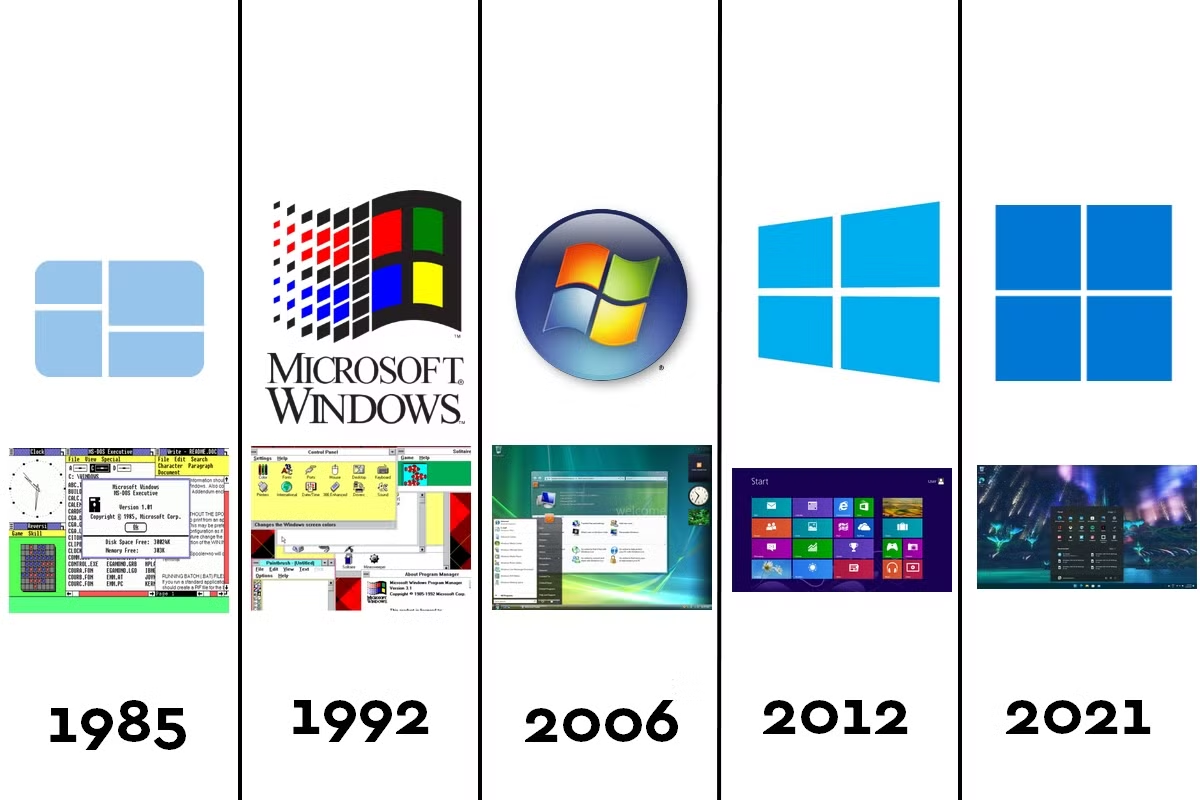
A Quick Walk Through Windows History: Why “Pro” Has Always Been the Standard
Microsoft didn’t create the Home/Pro divide for marketing reasons.
The separation began decades ago:
- Windows XP Professional introduced domain joining, encryption, and enhanced user controls.
- Windows Vista & Windows 7 Pro refined remote access and backup tools.
- Windows 10 & Windows 11 Pro introduced modern security staples like BitLocker, Microsoft Entra ID, controlled folder access, and virtualization tools.
In every generation, Pro = business-grade protection and control.
The “Pro” Superpowers Your Nonprofit Deserves
BitLocker Drive Encryption
If a laptop containing donor or financial data is lost or stolen, BitLocker keeps the data locked and unreadable.
Windows Home lacks this capability entirely.
Group Policy Management
Standardize security settings and enforce best practices across all computers:
- strong password rules
- software restrictions
- device configuration
- security baselines
No more inconsistent setups or unsafe volunteer devices.
Domain Join + Microsoft Entra ID (Azure AD)
Gain secure access management, simplified user permissions, and seamless Microsoft 365 integration.
Remote Desktop Host Capabilities
Your IT provider (like Heartfelt IT) can connect securely to fix issues without requiring an on-site visit.
This saves time, minimizes downtime, and keeps staff focused.
Data Leak Prevention Tools
With Microsoft Purview Information Protection and Windows Information Protection, staff can’t accidentally send sensitive data through personal apps or unsecured channels.
Assigned Access / Kiosk Mode
Perfect for:
- volunteer stations
- donor check-in kiosks
- front desk information displays
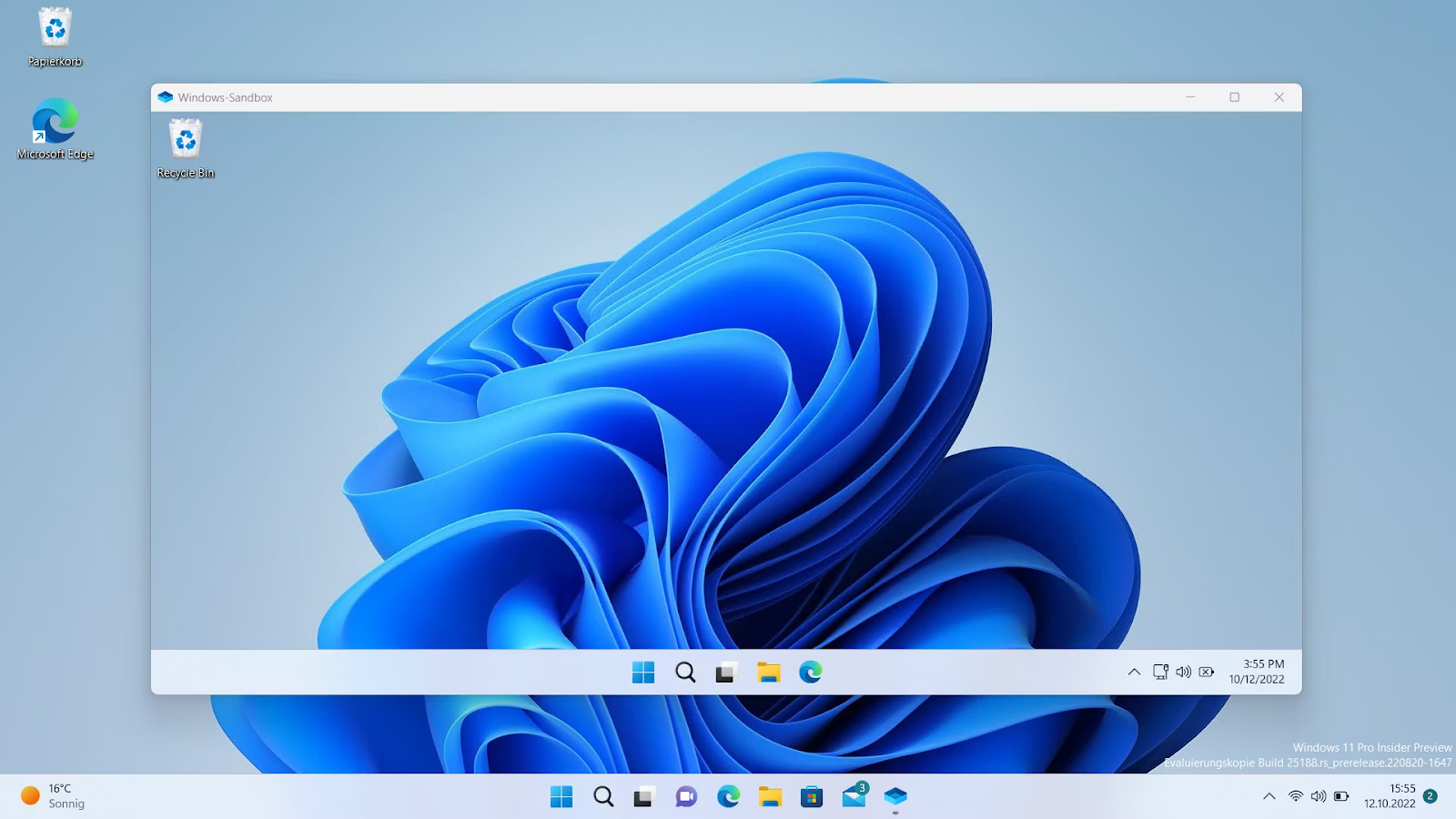
Hyper-V & Windows Sandbox
Test software or suspicious files in a safe, isolated environment — without risking your network.
The Upgrade Isn’t Always Smooth — Here’s What to Watch For
Common nonprofit hurdles include:
- Microsoft Store upgrades costing $99–$200
- digital licenses tied to one device
- product key validation errors
- OEM Windows Home limitations
- confusion around volume licensing
But nonprofits don’t need to pay full price — and that changes everything.
Your Nonprofit’s Secret Weapon: Windows Pro for ~$16 via TechSoup
This is the solution most nonprofits don’t realize exists.
Through TechSoup Canada, Windows Pro upgrades cost around $16 CAD, saving hundreds per device.
Learn more:
What Windows Pro Offers Nonprofits (TechSoup)
TechSoup typically allows nonprofits to request up to 50 licenses every two years, making it ideal for organizations of all sizes.
Windows 10 End of Life: A Critical Deadline
Microsoft will officially end support for Windows 10 on:
October 14, 2025
After this date:
- No security updates
- No patches
- Increased exposure to cyberattacks
TechSoup provides a great overview here:
👉 Windows 10 End of Life — What Nonprofits Need to Know
If your nonprofit still runs Windows 10 Home, the risk multiplies.
Nonprofits Also Receive Free Microsoft 365 Licenses
Most registered nonprofits qualify for:
- 300 free Microsoft 365 Business Basic licenses
- discounted Microsoft 365 Business Premium
- access to advanced security features
- AI-powered tools like Microsoft Copilot
Windows Pro integrates with these tools seamlessly.
How Heartfelt IT Helps Ottawa Nonprofits Stay Secure
At Heartfelt IT, we specialize in helping nonprofits implement affordable, reliable, and secure technology solutions that support your mission rather than threaten it.
👉 Learn more about our nonprofit services:
Expert IT Guidance for Nonprofits — Heartfelt IT
👉 And explore how we help organizations build secure, resilient systems:
Managed IT Services for Ottawa Organizations
👉 For cybersecurity posture improvement, see:
Cybersecurity Solutions — Heartfelt IT
These internal links help readers access related services and boost the SEO authority of your website.
Conclusion: Protect Your Mission by Securing Your Digital Foundation
Running Windows Home in a nonprofit environment is a hidden liability.
It compromises:
- cybersecurity
- operational efficiency
- staff productivity
- compliance
- donor trust
Windows Pro provides the essential tools nonprofits need — and through TechSoup, it’s incredibly affordable.
Now is the time to act, before a cybersecurity incident forces your hand.
If you're ready to protect your mission and empower your team:
👉 Contact Heartfelt IT today
We’ll help you navigate licensing, upgrades, cybersecurity, and long-term digital strategy — so you can stay focused on the work that truly matters.