Enterprise Password Manager for Business Security
Why Password Security Matters More Than Ever
Passwords remain one of the most common ways employees access business applications, cloud platforms, email accounts, and sensitive company information. While passwords are essential to everyday business operations, weak password habits continue to expose organizations to unnecessary cybersecurity risks.
Sticky notes, browser-saved passwords, reused credentials, and shared login information can all create opportunities for unauthorized access. A single compromised password can affect multiple business systems, making credential protection an important part of an organization's overall security strategy.
Heartfelt IT helps organizations enhance password security to an enterprise level through a secure password management solution designed to protect business credentials while simplifying secure access for authorized users.
What Is an Enterprise Password Manager?
An enterprise password manager provides a secure vault where employees can safely store, organize, and share login credentials without exposing the actual passwords.
Rather than relying on handwritten notes, spreadsheets, or browser password storage, team members can securely access approved credentials from a centralized environment across desktop, browser, and mobile devices.
By improving credential management, organizations can reduce password-related risks while making secure collaboration easier for employees.
Why Browser-Saved Passwords Can Increase Risk
Many users rely on web browsers to remember passwords for convenience. While this may simplify daily logins, browser-stored credentials can become vulnerable if a device is compromised or if an employee unknowingly interacts with a phishing website.
As highlighted by Heartfelt IT, one bad click on a phishing link can leak every saved password in Chrome.
Moving credentials into a dedicated password manager helps organizations avoid depending solely on browser-based password storage while providing a more structured approach to credential security.
Password Security Best Practices for Businesses
Strong password security involves more than simply creating complex passwords. Organizations benefit from implementing consistent credential management practices that help reduce unnecessary exposure.
Best practices include:
Using a dedicated password manager instead of storing passwords in browsers or written notes.
Avoiding password reuse across multiple business accounts.
Sharing credentials securely through an encrypted vault rather than email or messaging applications.
Monitoring for compromised credentials.
Supporting secure onboarding and offboarding processes for employees.
Using passwordless and biometric authentication where appropriate.
Together, these practices help strengthen an organization's overall cybersecurity posture.
Enterprise Password Manager Features
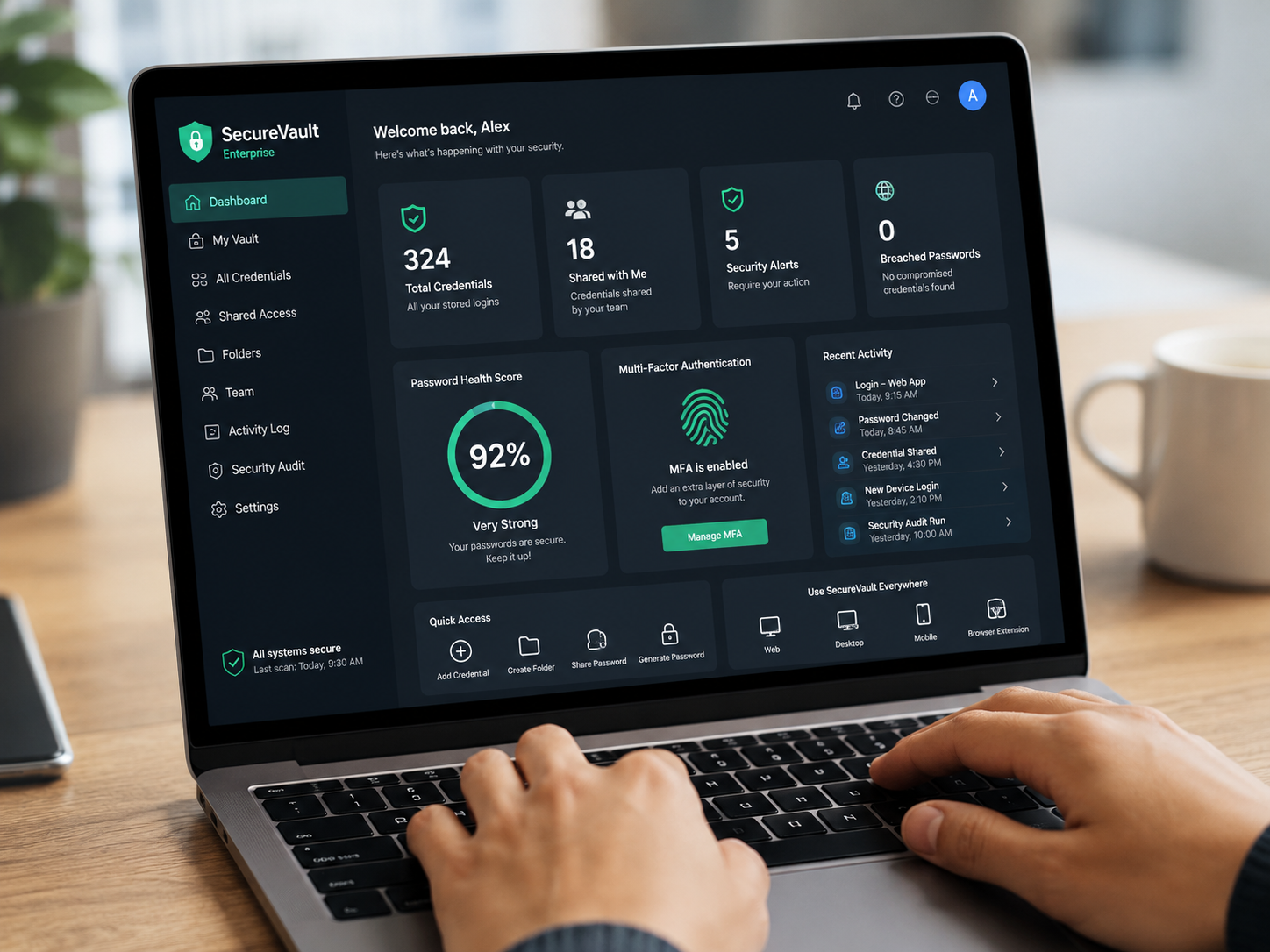
Heartfelt IT's password management solution is designed to provide enterprise-grade security for business credentials.
Encrypted Vault for Every User
Each user receives access to an encrypted vault for securely storing login credentials.
Rather than exposing passwords during collaboration, credentials remain protected while authorized users gain access when appropriate.
Secure Password Sharing
Businesses often need multiple employees to access shared business accounts.
Instead of revealing passwords directly, authorized team members can securely share credentials while keeping the actual password protected.
This improves collaboration while reducing unnecessary password exposure.
Browser, Desktop, and Mobile Access
Modern organizations work across multiple devices throughout the day.
Providing secure access through browsers, desktop applications, and mobile devices helps employees remain productive while maintaining consistent credential security.
Dark Web Monitoring
Compromised passwords sometimes appear in publicly available breach data.
Dark web monitoring helps identify breached credentials, allowing organizations to respond more quickly when password exposure is detected.
Monitoring for compromised credentials supports stronger password hygiene and encourages timely credential updates.
One-Time Sharing for New Hires
Employee onboarding often requires temporary access to business systems.
One-time password sharing helps organizations securely provide access during onboarding without unnecessarily exposing permanent credentials.
Likewise, structured credential management can help simplify employee offboarding by reducing reliance on manually distributed passwords.
Passwordless and Biometric Authentication
Passwordless authentication and biometric login options provide additional convenience while reducing dependence on traditional passwords.
These authentication methods can help improve both security and user experience by simplifying the login process for authorized users.
Credential Management Supports Business Security
Credential management is more than simply storing passwords.
It involves organizing, protecting, monitoring, and securely sharing access across an organization.
As businesses grow, employees frequently require access to cloud applications, internal systems, financial platforms, communication tools, and customer resources. Managing these credentials through a centralized password management solution helps reduce operational complexity while improving consistency.
Enterprise credential management also supports secure collaboration between employees by providing controlled access without revealing actual passwords.
Strengthening Security Across Your Organization
Password-related risks affect organizations of every size.
Improving password security begins with replacing insecure storage methods with a centralized approach that protects business credentials while supporting employee productivity.
Heartfelt IT's password manager helps organizations:
Enhance password security to an enterprise level.
Secure business credentials.
Store passwords within an encrypted vault.
Share passwords securely.
Monitor for breached credentials.
Streamline employee onboarding and offboarding.
Support browser, desktop, and mobile access.
Utilize passwordless and biometric authentication options.
Together, these capabilities help organizations build a stronger foundation for credential security.
Protect Your Business Credentials with Heartfelt IT
Business passwords protect access to many of your organization's most important systems.
Replacing browser-saved passwords and handwritten notes with a secure password manager helps improve credential protection while simplifying secure access for authorized users.
If you're looking to enhance password security across your organization, Heartfelt IT can help you evaluate your current credential management practices and explore enterprise password management solutions designed for today's workplace.
Interested to learn more about Password Manager? Click here: https://heartfeltit.com/itconcierge