Why Your Inbox is Your Business’s Biggest Risk
In the modern digital landscape, your email address isn't just a communication tool; it is the "digital front door" to your entire organization. Statistics consistently show that over 90% of successful cyberattacks begin with a single email. Whether it’s a sophisticated phishing attempt, a malicious attachment, or a Business Email Compromise (BEC) scam, your inbox is the primary target for attackers.
The Evolution of Email Threats
Gone are the days of the "Nigerian Prince" emails filled with obvious typos. Today’s threats are highly targeted and psychologically manipulative.
Spear Phishing: These are customized attacks targeting specific individuals within a company using gathered intel to appear legitimate.
Business Email Compromise (BEC): This is where an attacker impersonates a CEO or high-level executive to trick employees into transferring funds or revealing sensitive data.
Zero-Day Malware: Traditional filters catch known viruses, but zero-day threats use brand-new code that has never been seen before, slipping past basic security.
Why "Basic" Filters are Failing
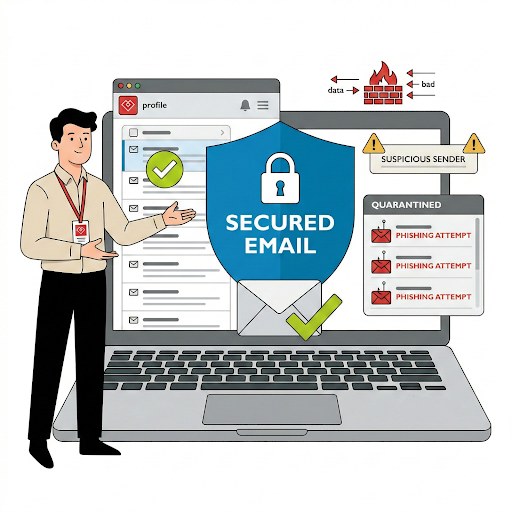
Most businesses rely on the default filters provided by their email host. While these are a good baseline, they often operate on a "reactive" model. They block what they know is bad. However, modern cybercriminals use obfuscation techniques—like hiding malicious links behind legitimate redirects or using "look-alike" domains—that basic filters simply aren't designed to catch.
Building a Semantic Defense: SPF, DKIM, and DMARC
To rank as a secure organization, you must master the "Holy Trinity" of email authentication:
SPF (Sender Policy Framework): Specifies which mail servers are authorized to send email on your behalf.
DKIM (DomainKeys Identified Mail): Adds a digital signature to emails, ensuring the content hasn't been tampered with in transit.
DMARC (Domain-based Message Authentication, Reporting, and Conformance): Ties SPF and DKIM together, telling receiving servers what to do if an email fails authentication (e.g., send it straight to spam or reject it entirely).
The Power of AI in Email Security
At Heartfelt IT, we believe in a "Zero Trust" approach to the inbox. Modern email security should utilize AI and Machine Learning to analyze the intent of an email, not just the technical headers. Does the "tone" of the CEO’s email seem off? Is a regular vendor suddenly asking for a bank account change? AI-driven security spots these anomalies in real-time.
Advanced Threat Protection (ATP) & Sandboxing
When an email arrives with an attachment, "Sandboxing" technology opens that file in a safe, isolated virtual environment first. It watches how the file behaves. If the file tries to reach out to a suspicious IP address or modify system registry keys, it is destroyed before it ever reaches your user's computer.
The Human Element: Security Awareness
Technology is your shield, but your employees are your sentries. Even the best security can occasionally be bypassed by a clever social engineering tactic. A comprehensive email security strategy must include regular training to help your team spot the red flags of a phishing attempt.
Protect Your Reputation and Your Revenue
A single successful email breach can lead to devastating data exfiltration, financial loss, and a permanent blow to your brand's reputation. Investing in a robust, managed email security solution isn't just an IT decision—it's a fundamental business protection strategy.
Interested to learn more about Email Security? Click here: https://heartfeltit.com/itconcierge