Is your cloud data truly safe? (The truth may surprise you)
Many businesses migrate to Microsoft 365 or Google Workspace assuming their data is automatically backed up. While these platforms provide robust infrastructure and uptime, a critical gap exists that most organizations don't realize until it's too late: Microsoft and Google are not responsible for your data.
The Truth About the "Shared Responsibility Model"
Both Microsoft and Google operate under a Shared Responsibility Model. This means they maintain the "cloud"—ensuring servers are running and applications are accessible—but you are responsible for the data you put inside it.
In fact, the Microsoft Services Agreement explicitly recommends that users regularly backup their content using third-party apps and services. Without a third-party solution, your organization is at significant risk from:
Accidental Deletion: Human error is the leading cause of data loss; once a file leaves the 14 to 30-day "recycle bin" window, it is often gone forever.
Ransomware & Malware: If an attacker encrypts your live cloud data, they may also compromise any basic "versions" stored within the same platform.
Malicious Insiders: Employees leaving a company can intentionally delete critical emails or files before their license is revoked.
Why X360 Cloud Backup is a Must-Have
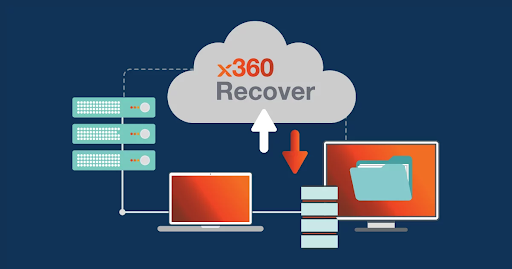
To bridge this gap, Heartfelt IT offers X360 Cloud Backup, a specialized solution designed to protect your Microsoft 365 and Google Workspace environments.
How it protects your organization:
Automated Backups: Your data—including Emails, Drive files, SharePoint, and Teams—is backed up three times per day automatically.
Independent Storage: Backups are stored in the encrypted, tamper-proof Axcient Cloud, separate from Microsoft or Google’s infrastructure to avoid a single point of failure.
SmartSearch Technology: Easily find and restore a single lost email or an entire folder in seconds using full-text search across all users.
Unlimited Retention: Keep your data as long as you need it, ensuring you meet compliance requirements (HIPAA, SOC-2, GDPR) without worrying about storage limits.
Ransomware Protection: Features like AirGap technology prevent your backups from being deleted or altered by malicious actors.
Don’t Gamble with Your Business Data
Losing critical files to a breach or simple accident can cripple your operations. If you use Microsoft 365 or Google Workspace, a third-party backup isn't just an option—it’s an absolute necessity for business continuity.
Don’t leave your cloud data to chance. Microsoft and Google protect the infrastructure, but you are responsible for your data. Ensure your business is fully protected against accidental deletions and ransomware with our automated X360 Cloud Backup solution.