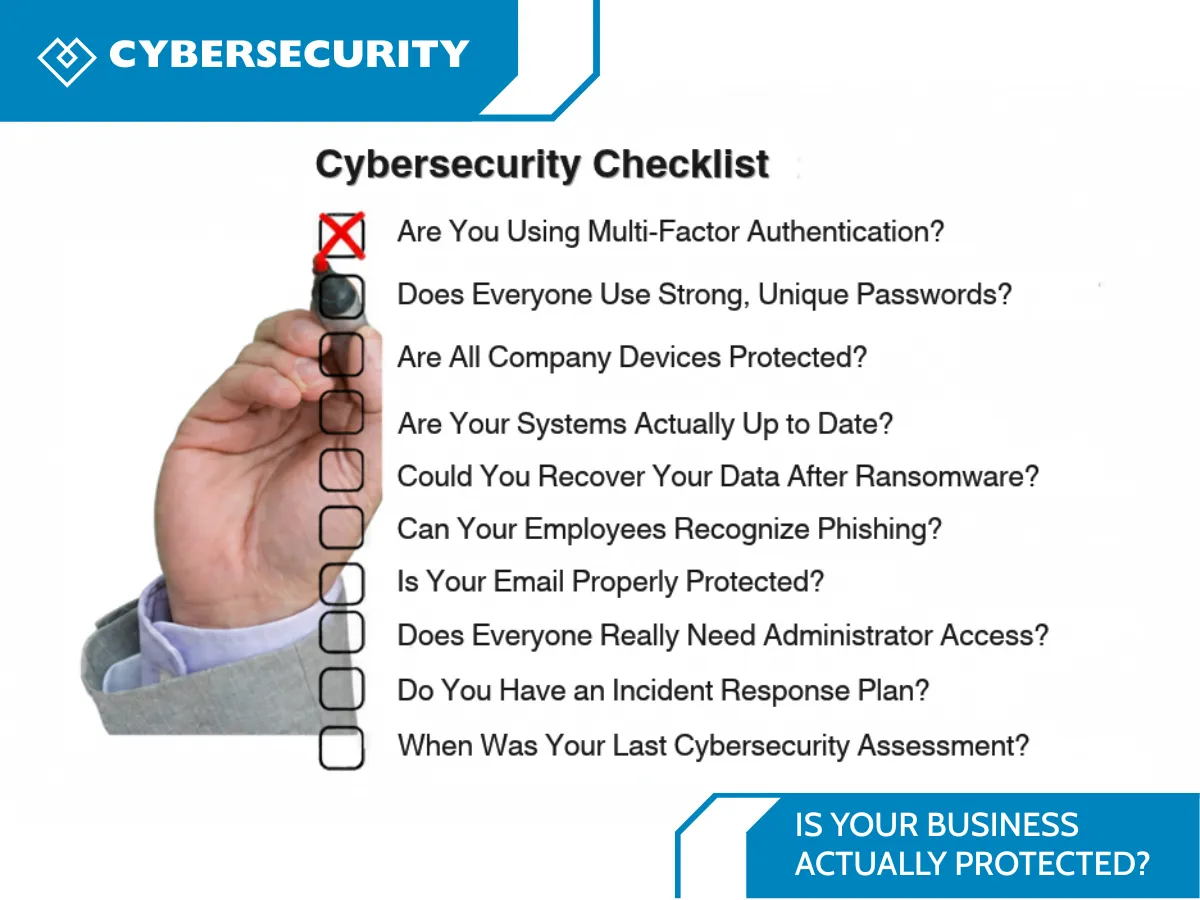
Is Your Business Actually Protected?
A Cybersecurity Checklist for Small Businesses
October is Cybersecurity Awareness Month, which makes it a great time to ask a simple question:
Is your business actually protected?
Most business owners would probably say yes.
You have antivirus software. Your computers require passwords. Your important files are backed up somewhere. Maybe you have Microsoft 365 security settings enabled.
But cybersecurity isn't about having one security tool.
It's about what happens when someone clicks the wrong link, a password is stolen, a computer isn't updated, or ransomware suddenly locks important company files.
The good news is that protecting your business doesn't have to be complicated.
Use this simple small business cybersecurity checklist to see where your organization stands.
✅ 1. Are You Using Multi-Factor Authentication?
A password alone should not be the only thing protecting important business accounts.
Multi-factor authentication (MFA) adds another verification step when someone logs in.
At minimum, review MFA for:
Microsoft 365 or Google Workspace
company email
cloud storage
financial and accounting applications
remote access
administrator accounts
other applications containing sensitive company or customer information
MFA is one of the core safeguards recommended for Small Businesses.
Your check: Is MFA turned on for every important account?
✅ 2. Does Everyone Use Strong, Unique Passwords?
Be honest.
Could someone in your organization be using the same password for their email, computer, and another online account?
Password reuse creates an unnecessary risk. If one service is compromised, attackers may try those same login details elsewhere.
A company password manager makes it easier for employees to use unique passwords without memorizing every one of them. Password managers are also among the resources recommends to small and medium-sized businesses.
Your check: Does your team use unique passwords and a business password manager?
✅ 3. Are All Company Devices Protected?
Every device that accesses company information can become an entry point.
That includes:
laptops
desktop computers
mobile devices
servers
remote employee computers
Businesses should know which devices are accessing their systems and ensure those devices receive appropriate updates and endpoint protection.
For organizations using Windows, technologies such as Microsoft Defender, BitLocker, and managed device policies can form part of this protection.
But simply installing antivirus isn't the end of the job.
Your check: Can you confidently identify and manage every device that has access to business data?
✅ 4. Are Your Systems Actually Up to Date?
That update notification everyone keeps clicking “Remind me later” on?
It matters.
Software companies regularly release updates that address security vulnerabilities. When systems remain outdated, known vulnerabilities may remain open longer than necessary.
Review updates for:
Windows and macOS
browsers
Microsoft 365 applications
business software
servers
firewalls
routers
plugins and third-party applications
Software updates are another essential safeguard for small and medium businesses.
Your check: Do you have a process for making sure updates actually get installed?
✅ 5. Could You Recover Your Data After Ransomware?
Having a backup and being able to restore a backup aren't necessarily the same thing.
Imagine arriving tomorrow morning and discovering that important company files have been encrypted by ransomware.
Could your team restore them?
How quickly?
When was the last time somebody tested the backup?
Backups are an important part of ransomware resilience among its next-level cybersecurity practices for Small Businesses.
Your backup strategy should account for important business files, cloud data, critical systems, and recovery testing.
Your check: When was the last successful test restore of your company's data?
If you don't know the answer, that's worth investigating.
✅ 6. Can Your Employees Recognize Phishing?
Some cybersecurity threats don't attack computers first.
They attack people.
An employee may receive what looks like:
a Microsoft 365 login request
a document-sharing notification
an invoice
a password-reset message
a request from their manager
a payment or banking change
One convincing email may be enough to trick someone into entering their credentials or approving something they shouldn't.
That's why employee cybersecurity awareness is just as important as security software specifically includes phishing avoidance among its cybersecurity essentials for Small Businesses.
Your check: Would your employees know what to do if they received a suspicious email today?

✅ 7. Is Your Email Properly Protected?
Email remains one of the most important systems in most businesses.
A compromised mailbox can expose customer conversations, documents, invoices, password-reset requests, and sensitive company information.
Your business email security should therefore include more than spam filtering.
Review areas such as:
MFA
suspicious sign-in monitoring
phishing and malware protection
access permissions
email authentication such as SPF, DKIM, and DMARC
administrator account protection
For companies using Microsoft 365, reviewing the tenant's security configuration should be part of the cybersecurity assessment.
Your check: When was your Microsoft 365 or email environment last reviewed from a security perspective?
✅ 8. Does Everyone Really Need Administrator Access?
Probably not.
Employees should generally have access to the information and systems they need to do their jobs, rather than having broad administrative access by default.
This concept is commonly known as least privilege.
It can help limit how much damage can occur if one account becomes compromised.
Your check: When was the last time you reviewed administrator accounts and employee access?
✅ 9. Do You Have an Incident Response Plan?
Here's an uncomfortable question:
What would your team do during the first 30 minutes of a cyber incident?
Who gets called?
Who disconnects the affected computer?
Who contacts your IT provider?
How will employees work?
How will customers be notified if necessary?
Those decisions are much easier to make before an emergency happens.
Small Businesses recommends developing a written Incident Response Plan and having leadership review it before an incident occurs.
Your check: Does your organization have a written cybersecurity incident response plan?
✅ 10. When Was Your Last Cybersecurity Assessment?
This may be the most important question on the list.
Cybersecurity changes over time.
Employees join and leave. Devices are replaced. New software gets installed. Cloud applications are added. Permissions change.
Something that was secure two years ago may not reflect your environment today.
That's why cybersecurity should be treated as an ongoing business process rather than a one-time project. Business leaders make security an everyday activity and regularly track areas such as MFA adoption, patching, and backups.
So, How Did Your Business Do?
Go back through the checklist.
How many questions could you confidently answer yes to?
If you hesitated on several of them, don't panic.
The purpose of a cybersecurity assessment isn't to scare you. It's to identify the gaps before someone else finds them.
At Heartfelt IT, we help businesses and nonprofit organizations understand their IT environment, identify cybersecurity risks, and put practical protections in place without making technology unnecessarily complicated.
🛡️ October Is Ending, but Cybersecurity Awareness Doesn't End Here
As we wrap up our Cybersecurity Awareness Month series this October, there's one thing we hope you'll take away from it:
Cybersecurity doesn't end when October does.
Protecting your organization is a year-round effort.
You don't necessarily need to make huge changes overnight. Simple steps such as keeping systems updated, using MFA, educating employees, monitoring devices, checking backups, and regularly reviewing your security can make a meaningful difference.
Cybersecurity Awareness Month gives us a good reason to talk about these things, but the conversation shouldn't stop when the calendar turns to November.
At Heartfelt IT, we believe cybersecurity should simply be part of how you do business every day.
Not sure how protected your business really is?
Let's talk about your current IT and cybersecurity setup, identify areas that may need attention, and discuss practical next steps for keeping your organization protected beyond October.
Cybersecurity Awareness Month may be ending, but protecting your business never stops. 🛡️❤️