Phishing Attacks Are Getting Smarter
Is Your Business Protected?
Cybersecurity threats are constantly evolving, and phishing remains one of the biggest risks businesses face.
But phishing emails aren't what they used to be.
Today's cybercriminals can use artificial intelligence (AI) to create convincing messages, imitate business conversations, and trick employees into granting access to company accounts. Some attacks don't even require a stolen password.
For small and medium-sized businesses, this creates a serious challenge. A single click or an unexpected approval can potentially expose business emails, documents, and other sensitive information.
As we kick off Cybersecurity Awareness Month this October, let's look at three phishing threats businesses should understand and the steps you can take to protect your organization.
1. AI-Powered Phishing Emails Are Getting Harder to Spot
Traditional phishing emails often contained obvious warning signs, such as poor grammar, spelling mistakes, suspicious links, or unusual wording.
Artificial intelligence is changing that.
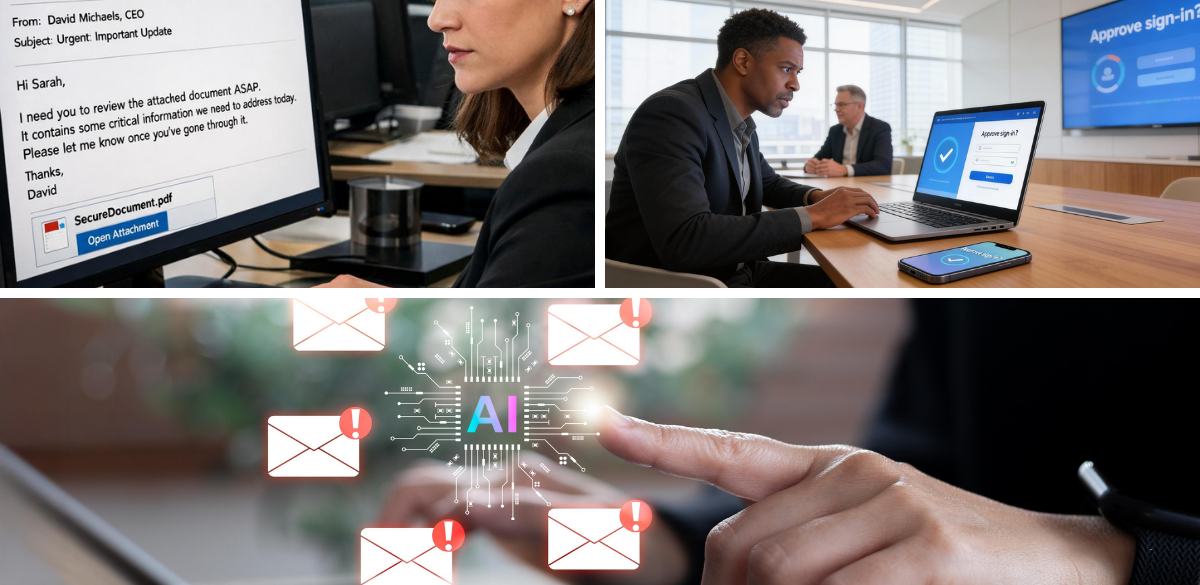
Cybercriminals can use AI tools to create polished, personalized messages that look like ordinary business communications. These messages might imitate an invoice from a supplier, a request from an executive, a procurement notification, or an invitation to review a document.
Because the messages can sound professional and match the recipient's role, employees may be more likely to trust them.
Microsoft has reported on increasingly sophisticated phishing techniques, including campaigns that use AI-related themes and convincing social engineering to deceive users.
What does this mean for your business?
You can no longer rely on spelling mistakes or awkward wording to identify a phishing email.
Instead, employees should be cautious when a message asks them to:
Open an unexpected attachment.
Click a link to review a document.
Make an urgent payment or change banking details.
Share sensitive business information.
Sign in to an account or approve an unexpected request.
Even when an email appears to come from someone you know, verify unusual requests through a separate, trusted communication channel.
2. OAuth Consent Phishing: When Clicking "Allow" Becomes a Risk
Not every phishing attack tries to steal your password.
In an OAuth consent phishing attack, cybercriminals trick a user into granting a malicious application permission to access information in a cloud account.
For example, an employee might receive an email asking them to open a shared document or connect an application to their Microsoft 365 or Google Workspace account.
The link leads to a legitimate-looking permission screen. The user sees an option to approve access and clicks "Allow," believing the application is safe.
However, the application may be requesting permission to access emails, files, or other business information.
If the user grants those permissions, the attacker may obtain access through application authorization tokens without needing the user's password.
Depending on the permissions granted, this access may continue even after the user closes the browser or finishes their workday.
Multifactor authentication (MFA) remains important, but it does not automatically prevent this type of attack. The user may have authenticated correctly and then unknowingly authorized a malicious application.
How can you reduce this risk?
Your business should consider:
Restricting which applications employees can approve.
Requiring administrator approval for sensitive application permissions.
Reviewing connected applications and their granted permissions.
Removing unnecessary or suspicious application access.
Training employees to question unexpected permission requests.
These measures are especially important for organizations that rely heavily on Microsoft 365 or Google Workspace to manage email, documents, and day-to-day operations.
3. Device Code Phishing: A Different Way to Compromise Accounts
Another emerging concern is device code phishing.
Device code authentication is a legitimate sign-in method designed for devices that cannot easily display a conventional login screen.
Cybercriminals can abuse this process by convincing a user to enter a code into a legitimate authentication page, such as Microsoft's device sign-in page.
The user may believe they are accessing a shared document, viewing an invoice, or completing a routine verification.
In reality, the code may have been generated by an attacker attempting to authenticate their own session.
If the user completes the process, they can unknowingly authorize the attacker's session. This can allow the attacker to obtain authentication tokens and access the account without directly stealing the user's password.
Microsoft documented an AI-enabled device code phishing campaign in April 2026 that used automation and convincing lures to scale these attacks.
What should employees watch for?
Be cautious when an email or webpage asks you to enter a sign-in code, especially when you did not initiate the authentication process yourself.
Never enter a code simply because an email tells you to. Confirm that you understand what you're signing in to and that you initiated the request.
Businesses should also review their authentication policies, monitor suspicious sign-in activity, and restrict authentication methods that are not required for their operations.
4. Why Employee Awareness Alone Is Not Enough
Employee training is essential, but even a careful employee can be fooled by a convincing message.
Modern phishing attacks can exploit trusted cloud services, legitimate authentication pages, and approved application permissions. This means businesses need protection that goes beyond asking employees to be careful.
A stronger cybersecurity approach combines employee awareness with technical safeguards.
For example, your organization can benefit from:
Email security: Help identify and block malicious messages, suspicious links, and dangerous attachments before they reach employees.
Identity and access protection: Apply appropriate MFA, conditional access policies, and restrictions on application permissions.
Cloud application monitoring: Review connected applications and investigate unusual access to email, files, and other business data.
Security awareness training: Teach employees how to recognize suspicious requests, verify unexpected instructions, and report potential threats.
Ongoing IT security reviews: Evaluate existing security settings, identify gaps, and prioritize improvements based on your organization's needs.
The right combination depends on your business, the applications you use, and the level of access employees need to do their jobs.
5. What Should Your Business Do This Cybersecurity Awareness Month?
October is a great opportunity to review your cybersecurity practices before a suspicious email becomes a serious incident.
Start with these five practical steps:
Review your email protection. Check whether your business has appropriate protections against malicious links, attachments, and impersonation attempts.
Check application permissions. Review which third-party applications can access your Microsoft 365 or Google Workspace data.
Strengthen account security. Use MFA and evaluate whether stronger authentication and access policies are appropriate for your organization.
Refresh employee training. Remind staff that professional-looking emails can still be fraudulent and that unexpected approval requests deserve extra scrutiny.
Review your security settings. Identify gaps in your current IT environment and determine which improvements should take priority.
You don't need to overhaul everything overnight. Start by understanding your current risks and building a practical plan to address them.
Protect Your Business with Heartfelt IT
Phishing attacks are becoming more convincing, but your business doesn't have to face these threats alone.
At Heartfelt IT, we help businesses strengthen their IT environments and make cybersecurity easier to understand and manage.
Whether your organization uses Microsoft 365, Google Workspace, or a combination of cloud services, reviewing your security settings can help uncover potential weaknesses before they become bigger problems.
Not sure how well your business is protected against modern phishing attacks?
Let's talk.
Book a meeting with Heartfelt IT to discuss your current IT environment, identify areas that may need attention, and explore practical ways to strengthen your cybersecurity.
Your next step toward better cybersecurity starts with a conversation.
Book a meeting with Heartfelt IT
Cybersecurity Awareness Month reminder: Think before you click, verify before you approve, and make security a shared responsibility.